FR French
RU Russian
IT Italian
CN Chinese
ES Spanish
CS Czech
PL Polish
SA Arabic
JP Japanese
DE German
US English (US)
PT Portuguese
Back to homepage

Contact Us

If you still have questions or prefer to get help directly from an agent, please submit a request.
We’ll get back to you as soon as possible.

Please fill out the contact form below and we will reply as soon as possible.

  • Contact Us
English (US)
FR French
RU Russian
IT Italian
CN Chinese
ES Spanish
CS Czech
PL Polish
SA Arabic
JP Japanese
DE German
US English (US)
PT Portuguese
  • Home
  • Panda tutorial
  • Software feature

Polygon

Software features and core functions overview

Written by Zhi Peng Zhang

Updated at April 24th, 2026

Contact Us

If you still have questions or prefer to get help directly from an agent, please submit a request.
We’ll get back to you as soon as possible.

Please fill out the contact form below and we will reply as soon as possible.

  • Get started
    Catalog Software downloading Unboxing video
  • Panda tutorial
    Software feature
  • Training Videos
    GET STARTED PANDA APP SOFTWAER FUNCTIONS CASE SCAN CLEANING & MAINTANANCE
  • Cloud
    Scanner management Case storage Case preview and sharing
  • Trouble shooting
  • FAQ
+ More

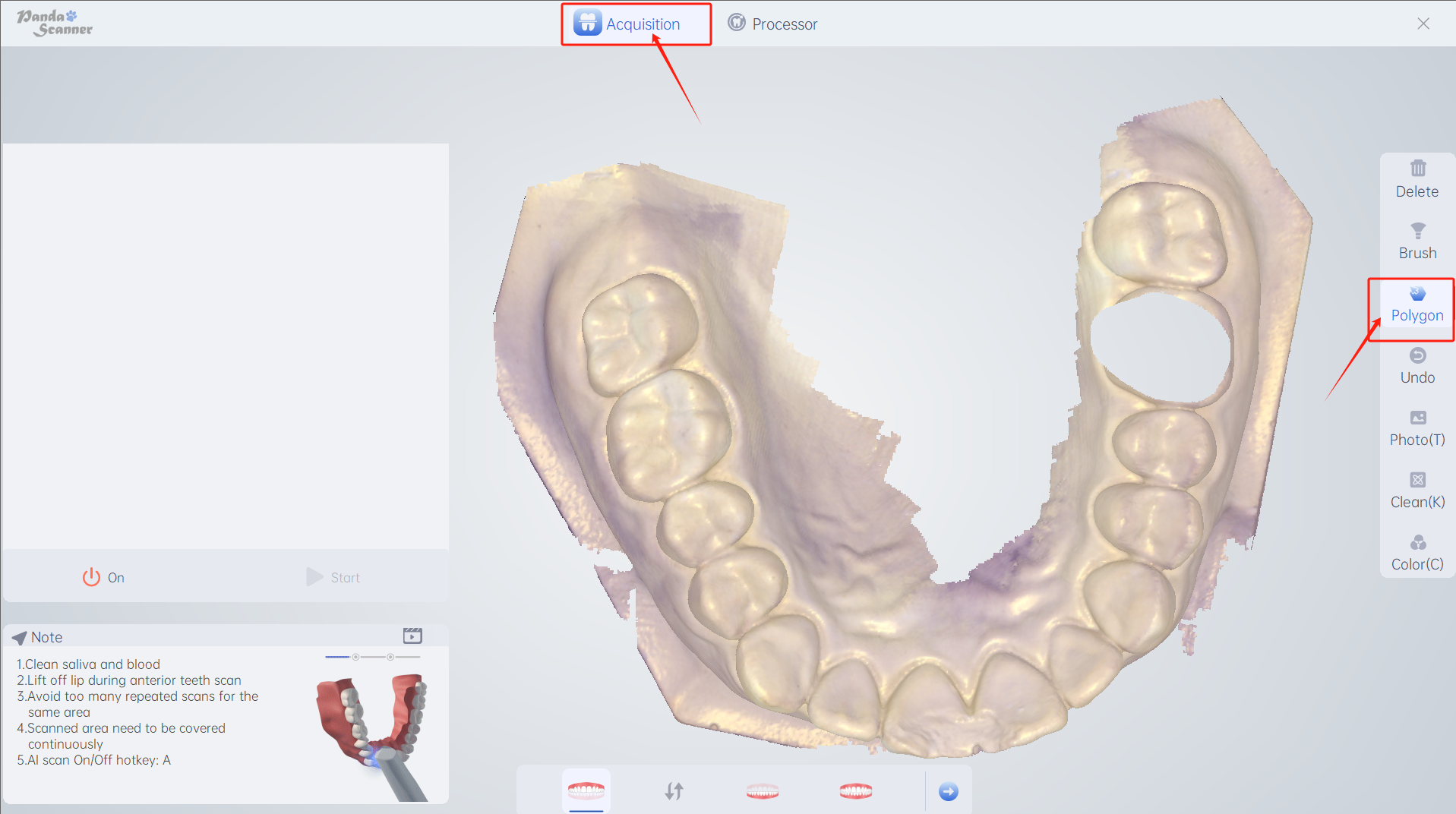
Function introduction: Delete local image data by circle selection.

Usage: It is applied to the deletion of local large-area data when the data is unqualified/ unsatisfactory.       
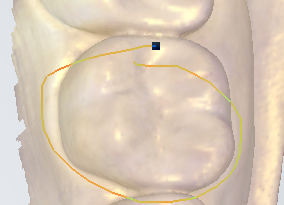
 

How to use: Click to select this function--move the mouse to the part to be deleted--press and hold the right mouse button and do not release, a red line will appear, circle the part to be deleted, and move it away after completion.
 

Was this article helpful?

Yes
No
Give feedback about this article

Related Articles

  • Delete
  • Brush
  • Undo
  • Margin

Copyright 2026 – Panda Scanner.

Knowledge Base Software by Helpjuice

Expand