
FR French
RU Russian
IT Italian
ES Spanish
CN Chinese
PL Polish
CS Czech
JP Japanese
DE German
US English (US)
SA Arabic
PT Portuguese
Back to homepage

Contact Us

If you still have questions or prefer to get help directly from an agent, please submit a request.
We’ll get back to you as soon as possible.

Please fill out the contact form below and we will reply as soon as possible.

  • Contact Us
Japanese
FR French
RU Russian
IT Italian
ES Spanish
CN Chinese
PL Polish
CS Czech
JP Japanese
DE German
US English (US)
SA Arabic
PT Portuguese
  • Home
  • パンダのチュートリアル
  • ソフトウェアの機能

ポリゴン

Written by Zhi Peng Zhang

Updated at September 2nd, 2026

Contact Us

If you still have questions or prefer to get help directly from an agent, please submit a request.
We’ll get back to you as soon as possible.

Please fill out the contact form below and we will reply as soon as possible.

  • 始めましょう
    ソフトウェアのダウンロード カタログ
  • 雲
    スキャナ管理 ケースのプレビューと共有 ケース収納
  • トレーニングビデオ
    クイックスタート ソフトウェア機能 ケーススキャン パンダアプリ メンテナンスと清掃
  • パンダのチュートリアル
    ソフトウェアの機能 スキャンビデオ V1 PandaCenter feature V2 PandaCenter features
  • Training Videos
    PandaCenter V2.0
  • トラブルシューティング
  • よくある質問
+ More

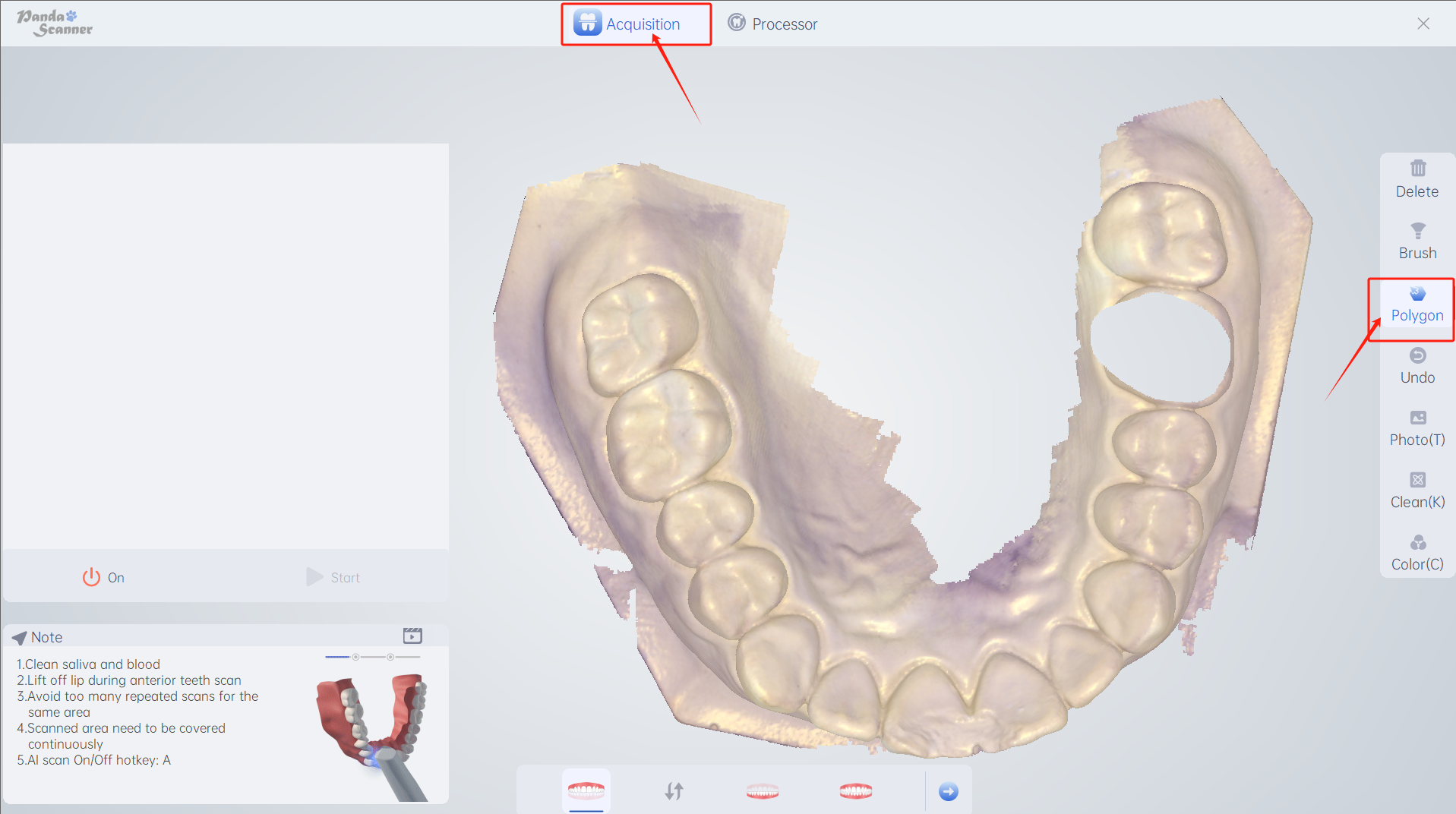
機能紹介:ローカル画像データを丸選択で削除します。

用途: ローカルの大規模データの削除 に適用されます。 データは不適格または不満足です。
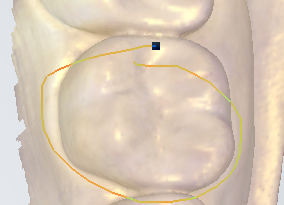
使用方法:クリックしてこの機能を選択します - 削除する部分にマウスを移動します - マウスの右ボタンを押したまま放さないでください。赤い線が表示され、削除する部分を丸で囲んで移動します完了後は離れます。
Was this article helpful?

Yes
No
Give feedback about this article

Related Articles

  • 消去
  • みがきます
  • 元に戻す
  • マージン

Copyright 2026 – Panda Scanner.

Knowledge Base Software by Helpjuice

Expand