
FR French
RU Russian
IT Italian
ES Spanish
CN Chinese
PL Polish
CS Czech
JP Japanese
DE German
US English (US)
SA Arabic
PT Portuguese
Back to homepage

Contact Us

If you still have questions or prefer to get help directly from an agent, please submit a request.
We’ll get back to you as soon as possible.

Please fill out the contact form below and we will reply as soon as possible.

  • Contact Us
Portuguese
FR French
RU Russian
IT Italian
ES Spanish
CN Chinese
PL Polish
CS Czech
JP Japanese
DE German
US English (US)
SA Arabic
PT Portuguese
  • Home
  • Tutorial do panda
  • Recurso de software

Capturar

Written by xiaodan wang

Updated at September 2nd, 2026

Contact Us

If you still have questions or prefer to get help directly from an agent, please submit a request.
We’ll get back to you as soon as possible.

Please fill out the contact form below and we will reply as soon as possible.

  • iniciar
    Download de software Catálogo
  • Nuvem
    Gerenciamento de scanners Visualização e compartilhamento do caso Armazenamento de casos
  • Training Videos
    QUICK START SOFTWARE FUNCTIONS CASE SCAN PANDA APP MAINTENANCE & CLEANING PandaCenter V2.0
  • Tutorial do panda
    Recurso de software Digitalizando vídeo V1 PandaCenter feature V2 PandaCenter features
  • Solução de problemas
  • Perguntas frequentes
+ More

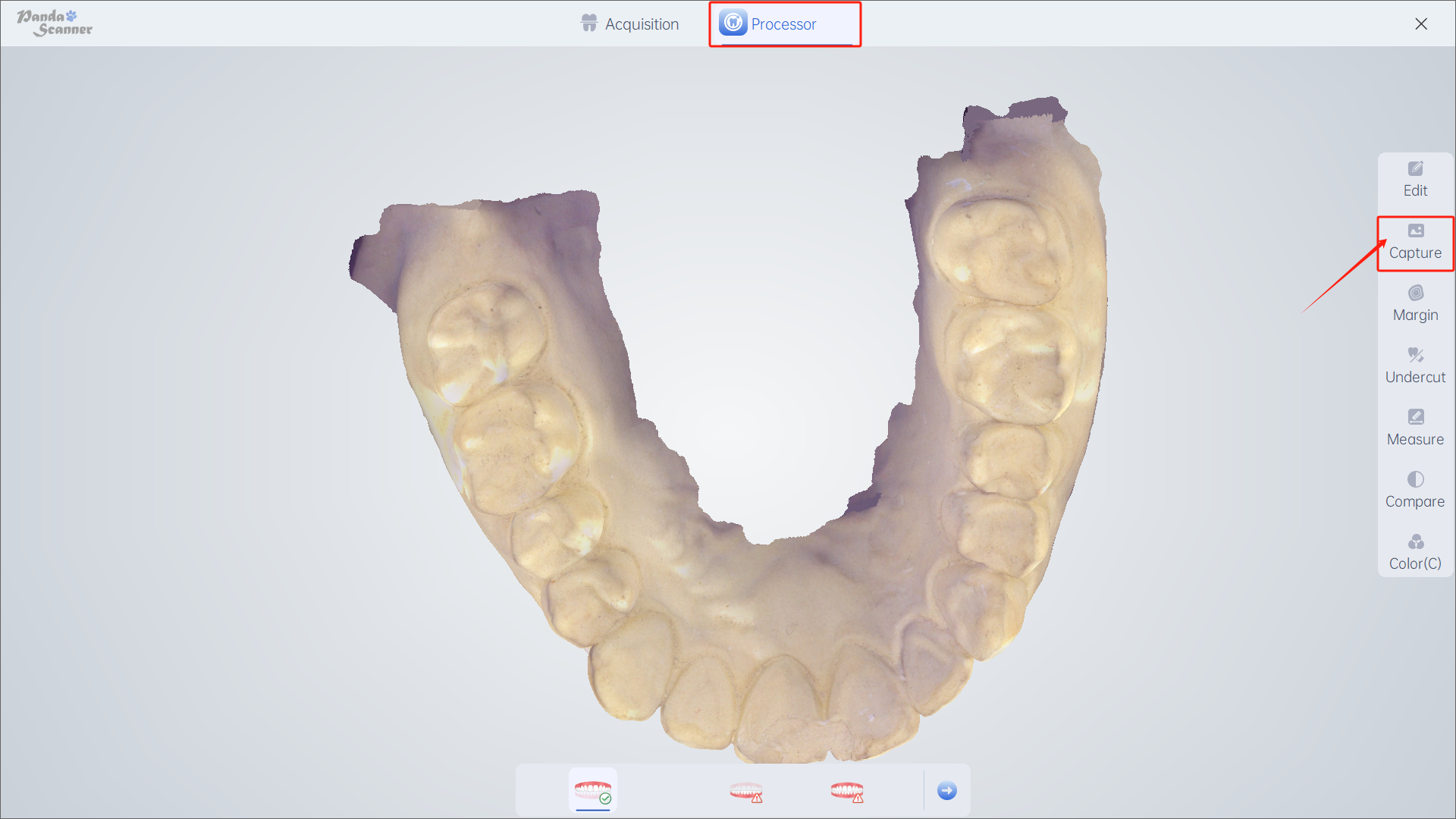
Introdução: Capture a tela e salve.

Objetivo: Para melhor comunicação entre paciente, médico e laboratório.

Como usar: Clique em “Capturar” para salvar a imagem dos dados do modelo.

Caminho de acesso: Processador —— Captura
Was this article helpful?

Yes
No
Give feedback about this article

Related Articles

  • Polígono
  • foto
  • Limpar

Copyright 2026 – Panda Scanner.

Knowledge Base Software by Helpjuice

Expand