FR French
RU Russian
IT Italian
CN Chinese
ES Spanish
CS Czech
PL Polish
SA Arabic
JP Japanese
DE German
US English (US)
PT Portuguese
Back to homepage

Contact Us

If you still have questions or prefer to get help directly from an agent, please submit a request.
We’ll get back to you as soon as possible.

Please fill out the contact form below and we will reply as soon as possible.

  • Contact Us
English (US)
FR French
RU Russian
IT Italian
CN Chinese
ES Spanish
CS Czech
PL Polish
SA Arabic
JP Japanese
DE German
US English (US)
PT Portuguese
  • Home
  • Trouble shooting

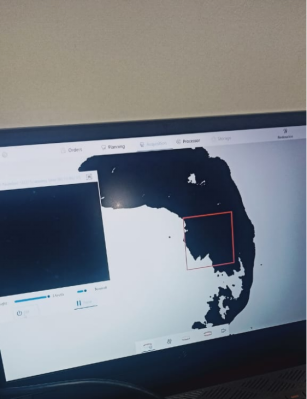
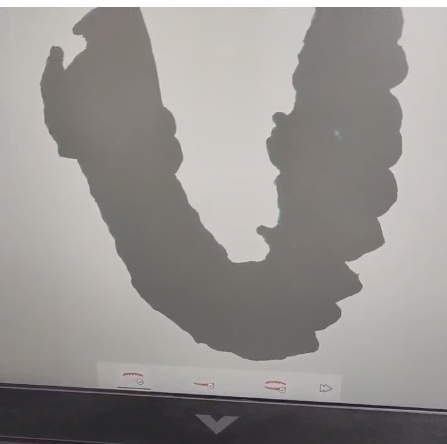
The data is not true color

Learn about the reasons behind the mysterious coloring of certain data sets and how it may impact data analysis and interpretation.

Written by xiaodan wang

Updated at July 27th, 2024

Contact Us

If you still have questions or prefer to get help directly from an agent, please submit a request.
We’ll get back to you as soon as possible.

Please fill out the contact form below and we will reply as soon as possible.

  • Get started
    Catalog Software downloading Unboxing video
  • Panda tutorial
    Software feature
  • Training Videos
    GET STARTED PANDA APP SOFTWAER FUNCTIONS CASE SCAN CLEANING & MAINTANANCE
  • Cloud
    Scanner management Case storage Case preview and sharing
  • Trouble shooting
  • FAQ
+ More

           grey                                                 black

The reason is that the graphic driver is too lower, you need to update it .

Step1. Download and update the graphic driver 
download link of driver(notebook)
You can also download the corresponding graphics card driver from Nvidia's official website (https://www.nvidia.com > en-us)

Step2.Recover the data's color

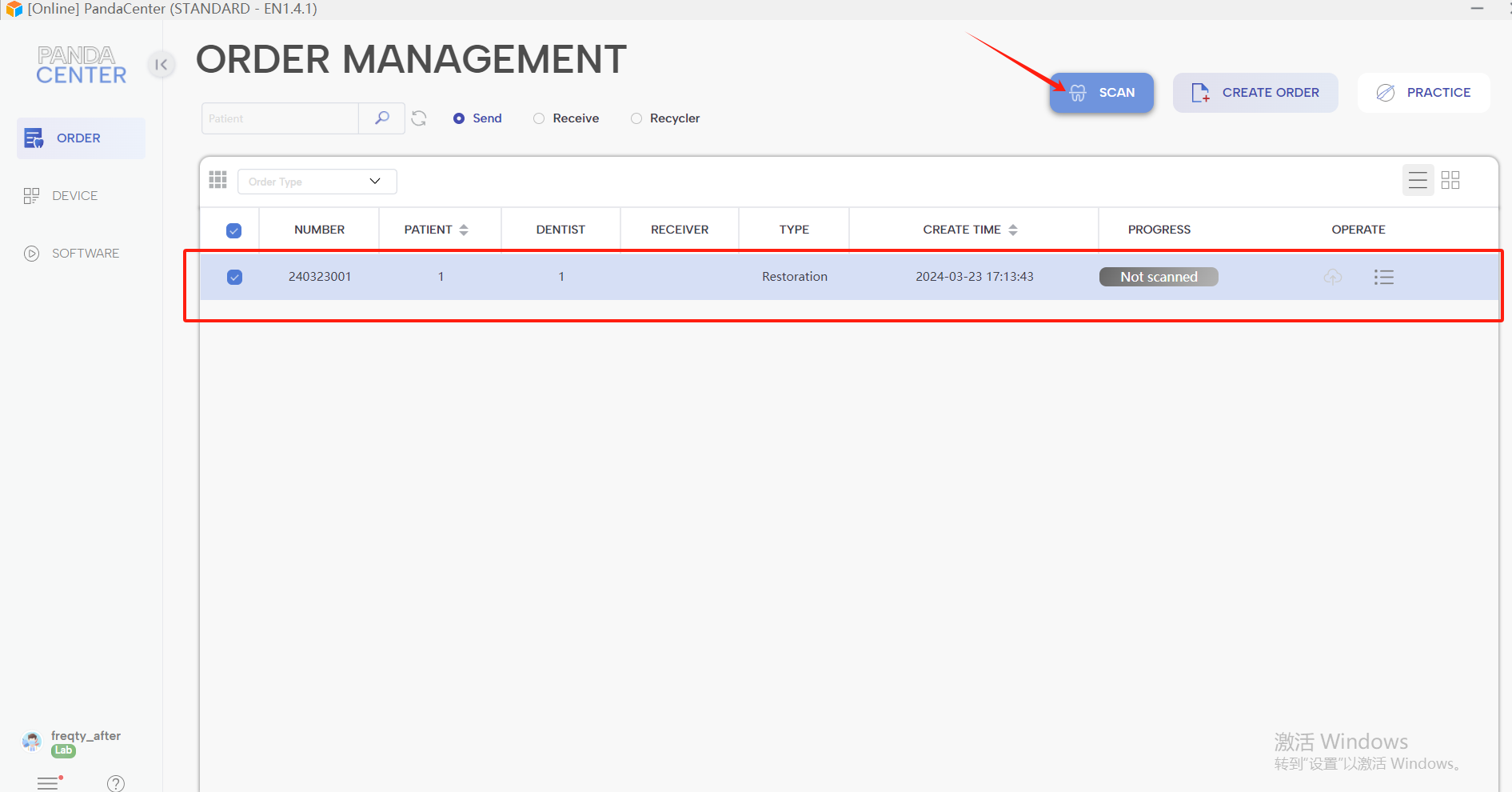
(1) Return to the scanning of data 

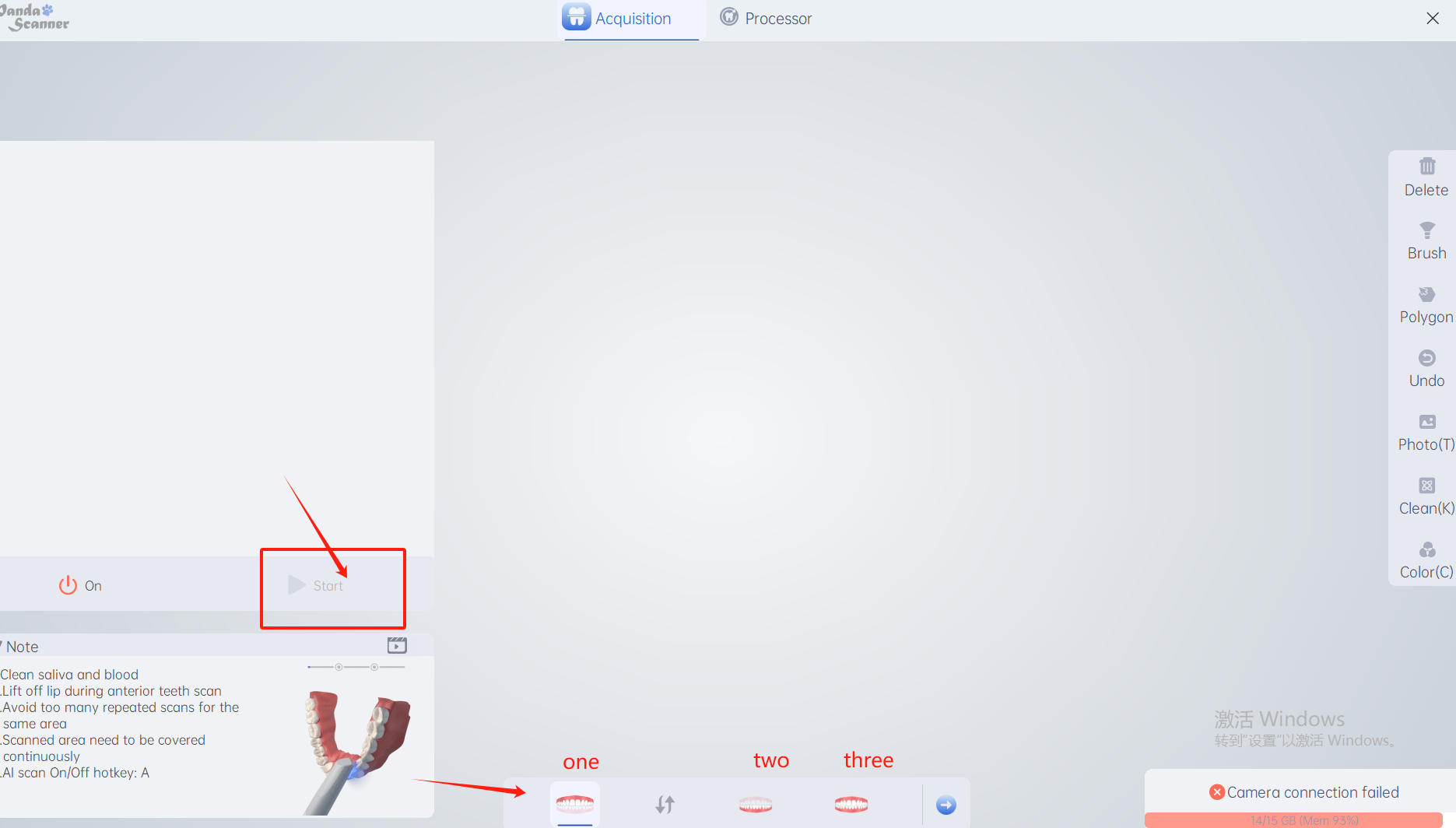
(2) Click “start ”and“ off ” to recover step by step according to the scanning sequence.
(3) Save the data.

ambiguous information grey data

Was this article helpful?

Yes
No
Give feedback about this article

Related Articles

  • Color
  • Extended warranty

Copyright 2026 – Panda Scanner.

Knowledge Base Software by Helpjuice

Expand