FR French
RU Russian
IT Italian
CN Chinese
ES Spanish
CS Czech
PL Polish
SA Arabic
JP Japanese
DE German
US English (US)
PT Portuguese
Back to homepage

Contact Us

If you still have questions or prefer to get help directly from an agent, please submit a request.
We’ll get back to you as soon as possible.

Please fill out the contact form below and we will reply as soon as possible.

  • Contact Us
German
FR French
RU Russian
IT Italian
CN Chinese
ES Spanish
CS Czech
PL Polish
SA Arabic
JP Japanese
DE German
US English (US)
PT Portuguese
  • Home
  • Fehlerbehebung

Gerät nicht autorisiert

Written by Zhou Amy

Updated at September 2nd, 2026

Contact Us

If you still have questions or prefer to get help directly from an agent, please submit a request.
We’ll get back to you as soon as possible.

Please fill out the contact form below and we will reply as soon as possible.

  • Loslegen
    Herunterladen der Software Katalog
  • Wolke
    Scannerverwaltung Fallvorschau und Freigabe Kofferaufbewahrung
  • Training Videos
    QUICK START SOFTWARE FUNCTIONS CASE SCAN PANDA APP MAINTENANCE & CLEANING PandaCenter V2.0
  • Panda-Tutorial
    Softwarefunktion Video scannen V1 PandaCenter feature V2 PandaCenter features
  • Fehlerbehebung
  • FAQ
+ More

Wenn dieses Problem bei Ihnen auftritt, führen Sie zur Überprüfung bitte die folgenden Schritte aus.
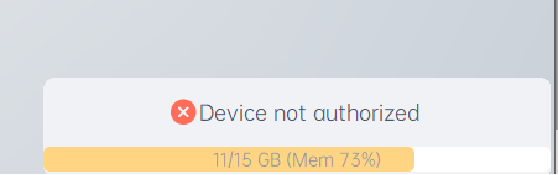
Schritt 1. Überprüfen Sie, ob Sie sich bei Pandacenter anmelden.

Schritt 2. Überprüfen Sie, ob die Scannernummer mit der Nummer auf dem Scannergehäuse übereinstimmt.

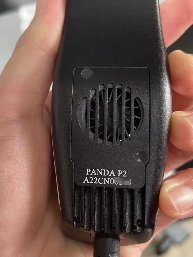
Schritt 3. Wenn nicht, melden Sie sich bitte mit dem richtigen Konto für den Scanner an.

Was this article helpful?

Yes
No
Give feedback about this article

Related Articles

  • Die Geräteautorisierung ist nicht vorhanden
  • Farbkalibrierung
  • Unqualifizierte Falldaten
  • Beim Öffnen stürzte die Software ab

Copyright 2026 – Panda Scanner.

Knowledge Base Software by Helpjuice

Expand