FR French
RU Russian
IT Italian
CN Chinese
ES Spanish
CS Czech
PL Polish
SA Arabic
JP Japanese
DE German
US English (US)
PT Portuguese
Back to homepage

Contact Us

If you still have questions or prefer to get help directly from an agent, please submit a request.
We’ll get back to you as soon as possible.

Please fill out the contact form below and we will reply as soon as possible.

  • Contact Us
English (US)
FR French
RU Russian
IT Italian
CN Chinese
ES Spanish
CS Czech
PL Polish
SA Arabic
JP Japanese
DE German
US English (US)
PT Portuguese
  • Home
  • Manage Your Account & Data
  • Scanner management

Add user

How to add users

Written by Qianqian JIang

Updated at September 24th, 2026

Contact Us

If you still have questions or prefer to get help directly from an agent, please submit a request.
We’ll get back to you as soon as possible.

Please fill out the contact form below and we will reply as soon as possible.

  • Get started
    Catalog Software downloading Unboxing video Related Software Tutorials
  • Learn the Basics
    Software Foundation Calibration Disinfection/Clean/Maintenance
  • Explore Software
    V2 PandaCenter features Scanning software feature V1 PandaCenter feature Advanced Feature
  • Scan Your Case
    Restoration Implant
  • Manage Your Account & Data
    Scanner management Case storage Case preview and sharing
  • Solve a Problem
    Cloud issue Software Issue Scanner issue Data/Case issue
+ More

Table of Contents

What is Add User? When to Use Add User?

What is Add User?

Add User allows you to share your scanner with other users while keeping access to the scanner in your own account.

You can decide who can use the scanner and how long they can use it. You can also continue using the scanner in your own account at the same time.

When to Use Add User?

This function is useful when you want to:

  • Share your scanner with a clinic or another user temporarily.
  • Allow multiple users to use the same scanner.
  • Set a specific period of access for each user.
  • Keep using the scanner in your own account while it is shared with another user.

How to Add a User

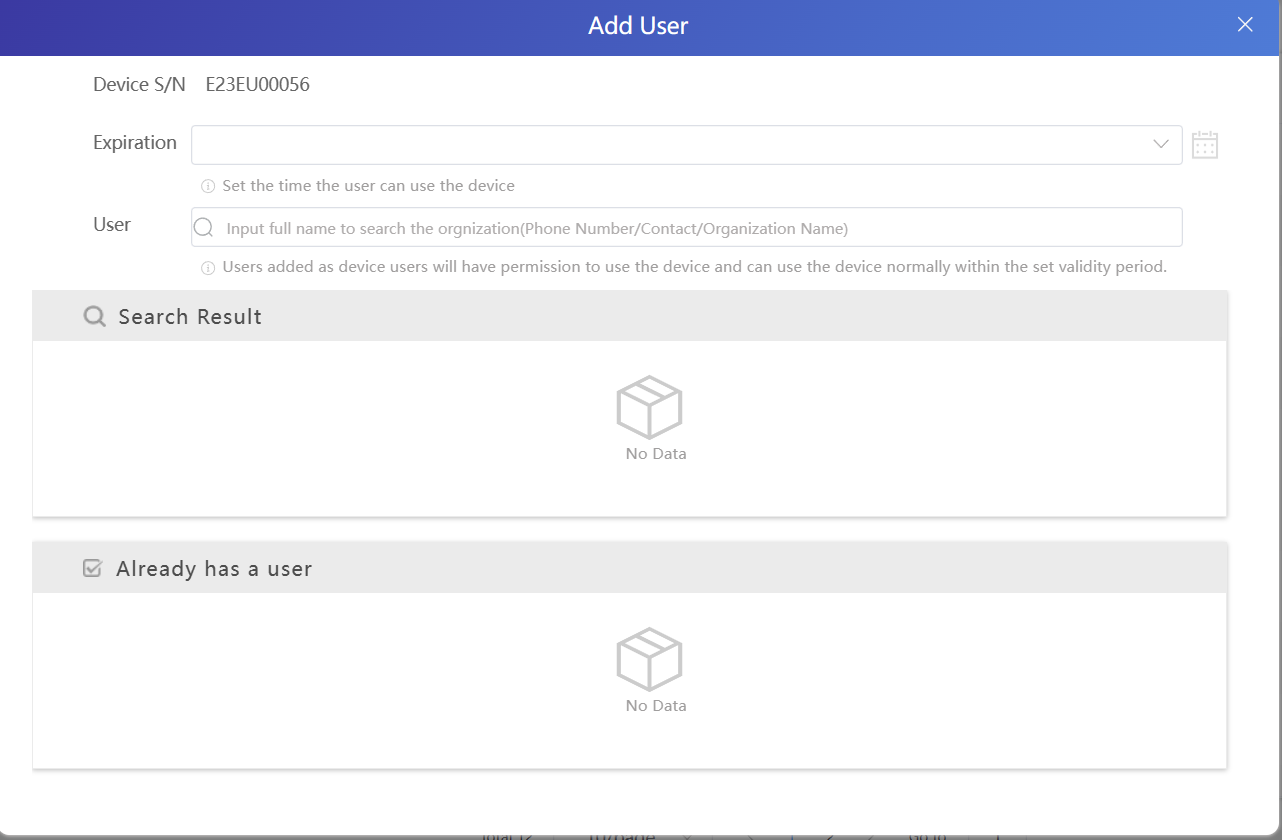
login the cloud,find DEVICES,click add user
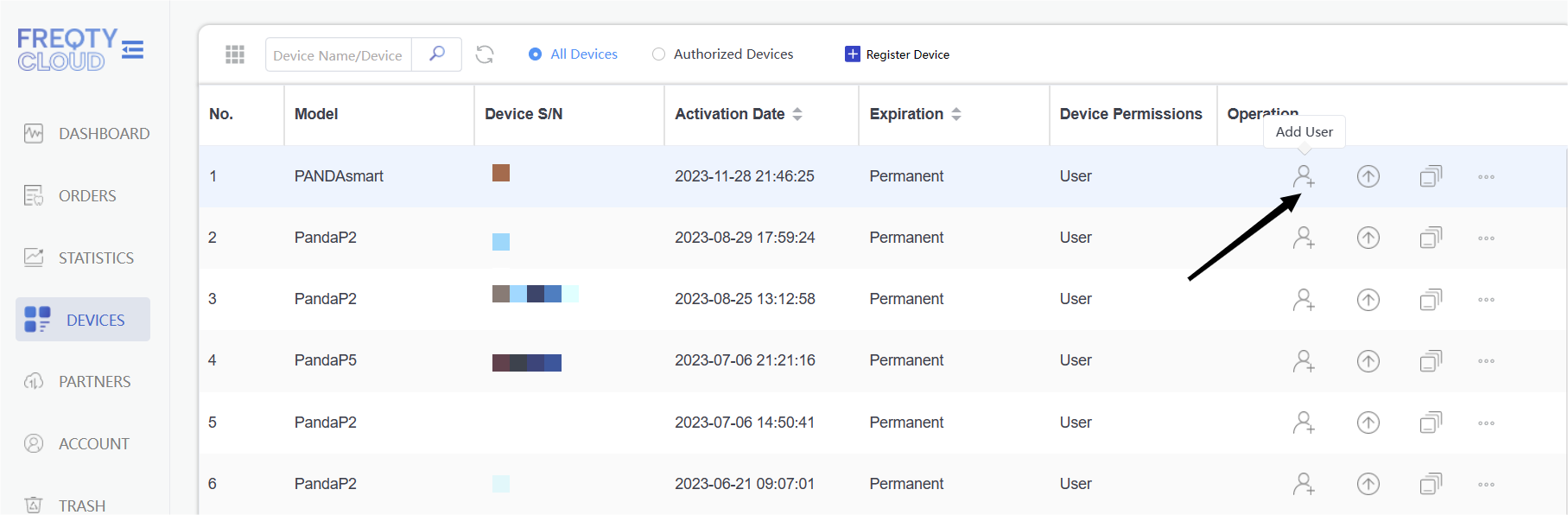
If you are using the V2 PandaCenter software,you can directly add the user in the software.

create user user add

Was this article helpful?

Yes
No
Give feedback about this article

Related Articles

  • Activate the scanner
  • Authorise
  • Data transfer

Copyright 2026 – Panda Scanner.

Knowledge Base Software by Helpjuice

Expand