Authorise
How to authority to customers

Table of Contents
Authorized Device allows you to give another user full authorization to use your scanner.
Once the scanner is authorized to another user, you cannot use the scanner or manage it until you call back the authorization through Authorized Device.
The authorized user can use the scanner normally and can also share the scanner with other users if needed. You can call back the authorization at any time and control how long the authorization remains valid.
When to Use Authorized Device?
This function can be useful in the following situations:
- Temporary device sharing: Allow another user to use your scanner for a specific period.
- Remote cooperation: Give a distributor, clinic, or laboratory temporary access to a scanner.
- Device management: Control who can use the scanner and how long the authorization remains valid.
- Flexible authorization: Revoke the authorization at any time when the scanner needs to be taken back or reassigned.
How to Use Authorized Device?
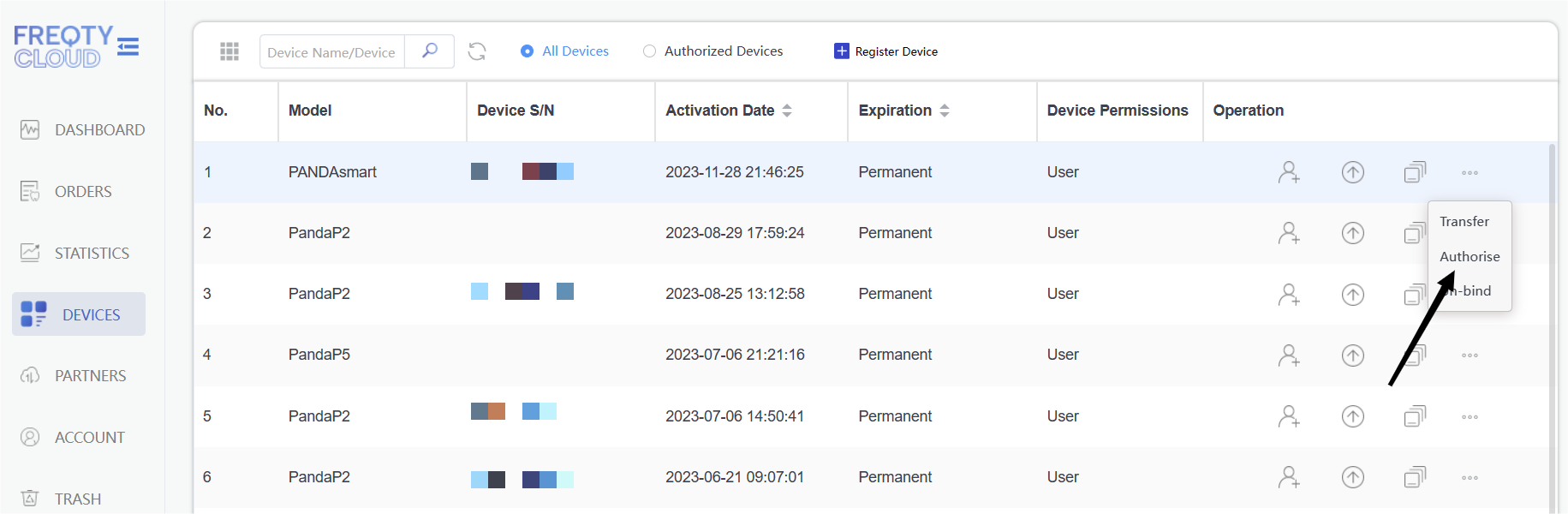
- Login the cloud,and find the DEVICES,select the scanner which you want to authorise to other.
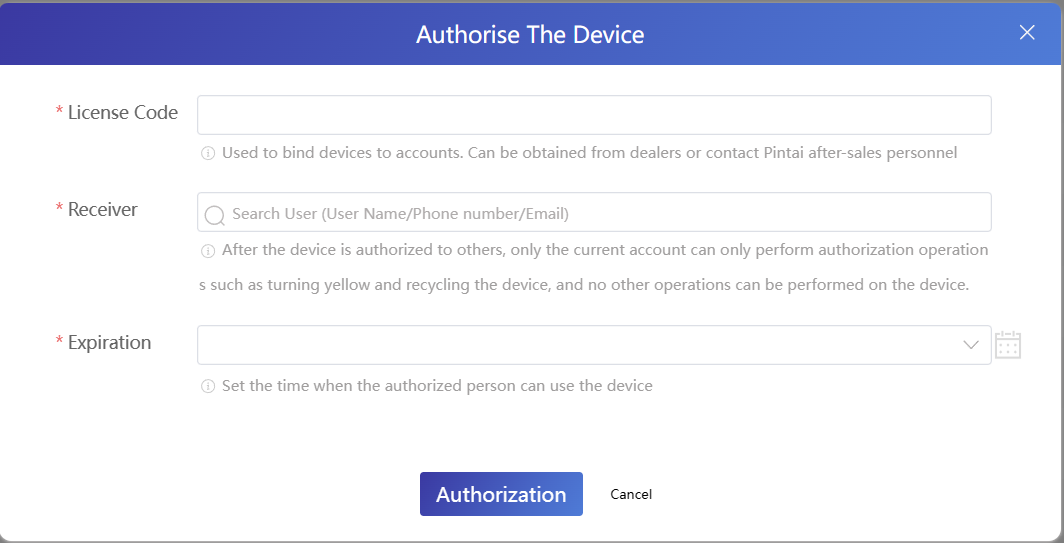
- click Authorise,and type the license code,receiver and Expiration.
How to Revoke Authorization?
If you need to take back control of the scanner, go to Authorized Device and call back the authorization.
Once the authorization is called back, the other user will no longer have authorization to use or manage the scanner.
- login the cloud,find the DEVICES,go to Authorized Device,and click call back.

2.It also need the license code to Call back.
